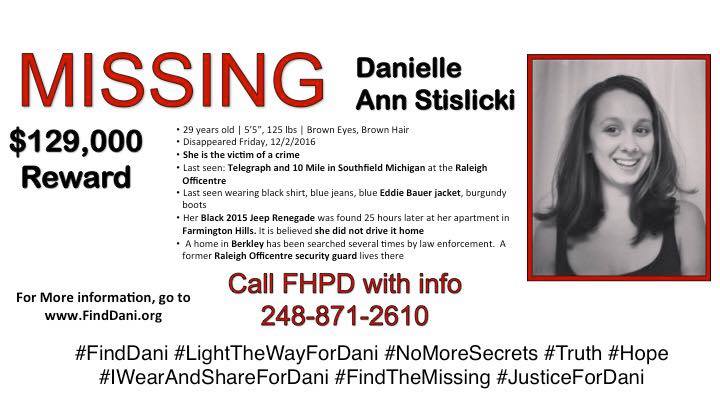
On Dec. 2, 2016, 28 year-old Danielle Stislicki left her job at Metlife in Southfield, MI and was never seen again. While the police are doing their best to find Danielle, her family, friends and community have decided to spread the word the best way they can: using social media and local community events to spread awareness about Danielle and all missing people.
Hashtags #finddani and #lightthewayfordani have popped up all over Facebook and Twitter bringing in new followers to the cause each day. The outpouring of support has made this case reach national levels and the power of social media has multiplied the awareness of Danielle exponentially.

As of last count, the Find Danielle Stislicki Facebook page has over 44,755 followers and each person that is added may have vital information. People all over the world are encouraged to post and share articles or just tweet out #finddani so more people are exposed and Danielle’s story stays out front.
We here at Tagdef want to see social media used for positive and constructive ways. We often hear how social media can be cold and informal or only good for sharing cat pics, but seeing communities coming together for the betterment of others is proof positive that it can be used for good. We wish the best for Danielle’s search and keep her family and friends in our prayers.
How Can You Help?
Information on Danielle or sighting:
Contact Farmington Hills Police Dept.
(248) 871-2610
WEBSITE:
http://www.finddani.org/
This website is designed as a more user-friendly way to get all of the information about Danielle’s disappearance and has and easier way of letting you know how you can help. Be sure to check it out and share it!
DONATE:
https://www.gofundme.com/find-danielle-stislicki
This Go Fund Me has been set up to raise funds for a reward on information that will lead us to Danielle
FACEBOOK:
http://www.finddani.org/facebook.html
-Like, follow, and share this Facebook page.
-In all your posts and shares, tag #finddani and #ScreamingIn followed by your location so we can track how far Danielle’s story has spread and what regions need better coverage.
-Never, EVER stop sharing. And encourage your friends to like this page to stay up to date on new information, news stories, and shares from Danielle’s family and friends.
TWITTER:
http://www.finddani.org/twitter.html
-Increase presence by tweeting about Danielle and re-tweeting other people’s posts.
-The official account is @find_dani
-In all your tweets and retweets, tag #finddani and #ScreamingIn followed by your location so we can track how far Danielle’s story has spread and what regions need better coverage.
FLIERS:
http://www.finddani.org/fliers.html
-The most current and accurate fliers are found under the “Fliers”page on the website: http://www.finddani.org/.
-Print these and post them everywhere.
-Some are formatted so you can even tape them to the inside of your car window to be a driving billboard.
RIBBONS AND BUTTONS:
Check out the website under the “How Can I Help” section for more information about making and purchasing Find Dani ribbons and buttons!
http://www.finddani.org/how-can-i-help.html
http://www.finddani.org/thank-you.html
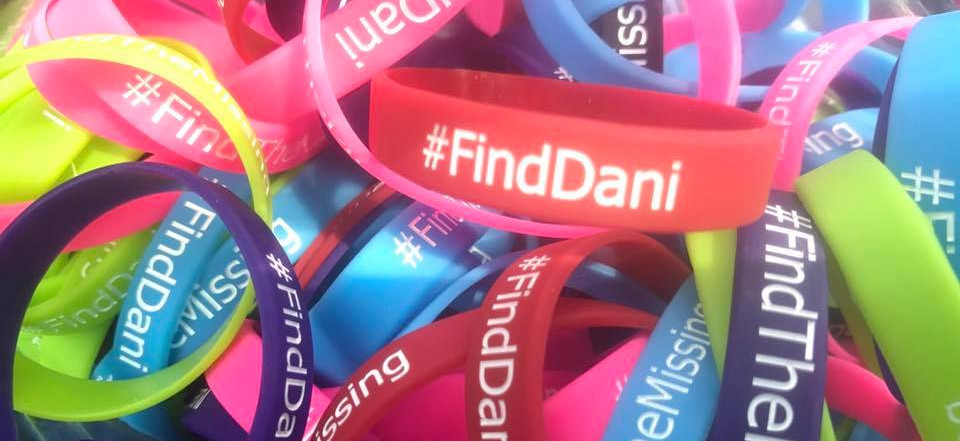
(main bracelet image credit: Chris Paliewicz c/o Facebook)